Fee Payment Guidelines
School fee is to be paid on monthly basis.
School fee is to be paid on or before the 20th day of every month.
Parents are requested to follow the following steps for making online payment of school fees.
Step 1:
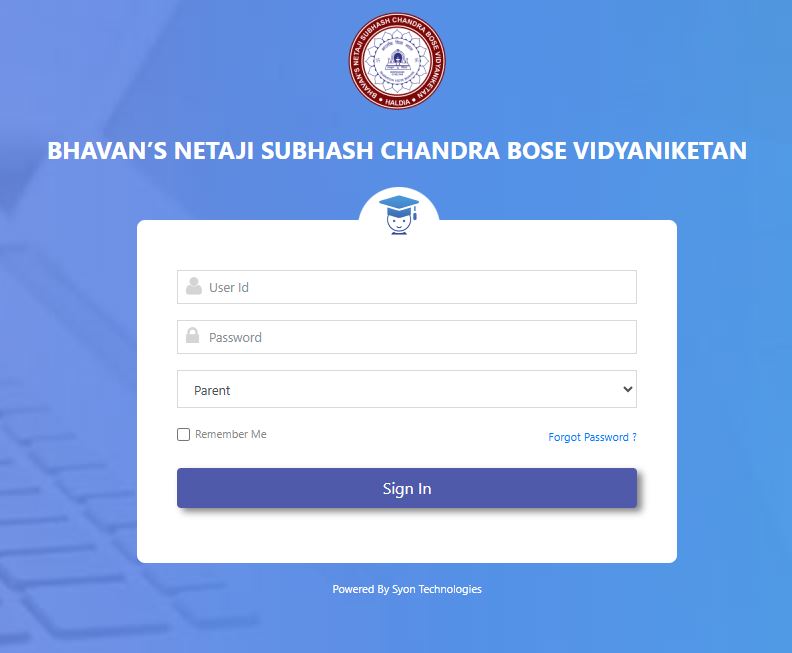
Use the link https://weblogins.bhavansnscbv.ac.in/ or visit the schools official website for making payment.
Step 2:
Login with your credential which has already been sent to your registered E-mail ID. If you are unable to find that particular mail then click on forgot password option with your registered E-Mail ID. You will get a password reset link in your mail shortly. After receiving password reset mail try to create a new password and use that password for login.
Step 3:
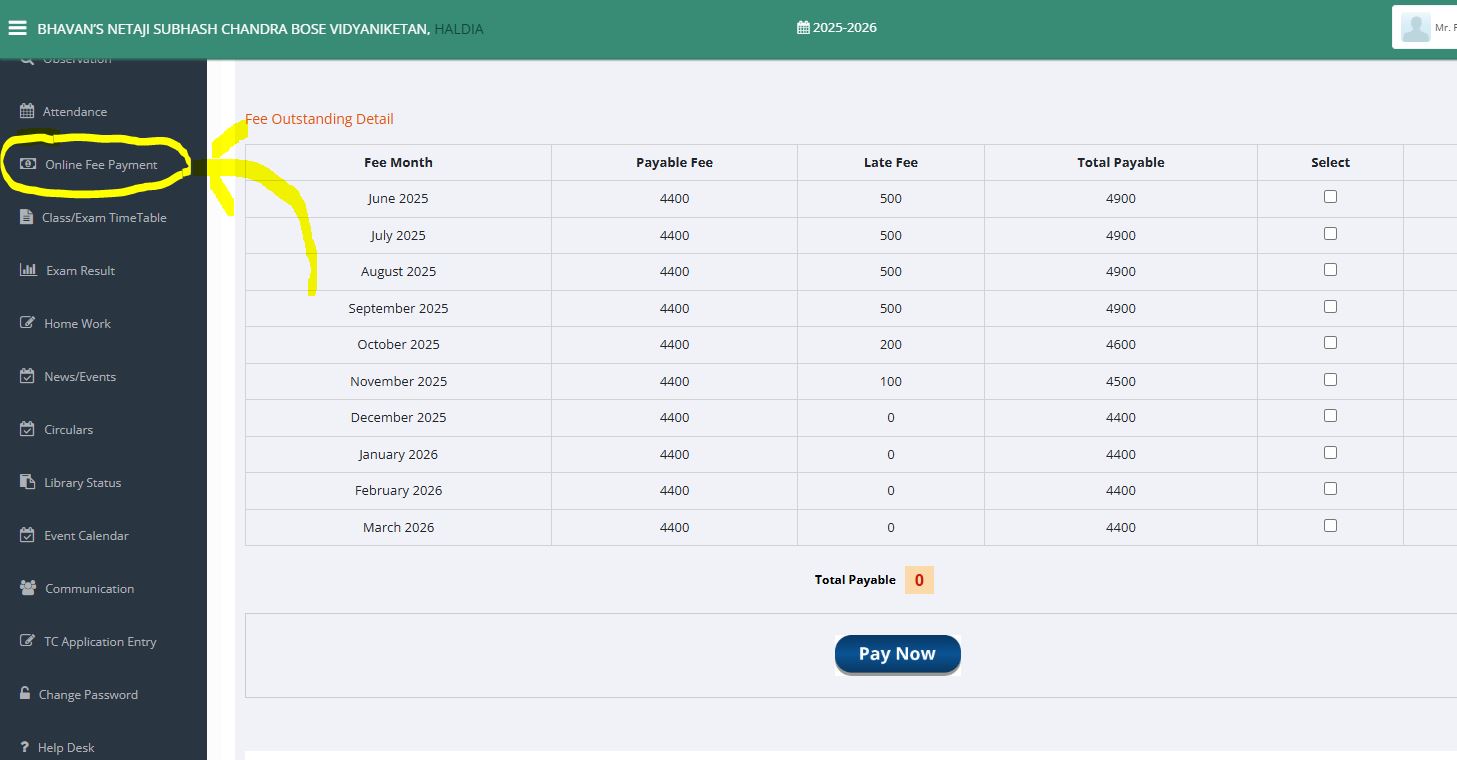
After successful login following screen will appear, click on the Online Fee Payment option on the left panel
Step 4:
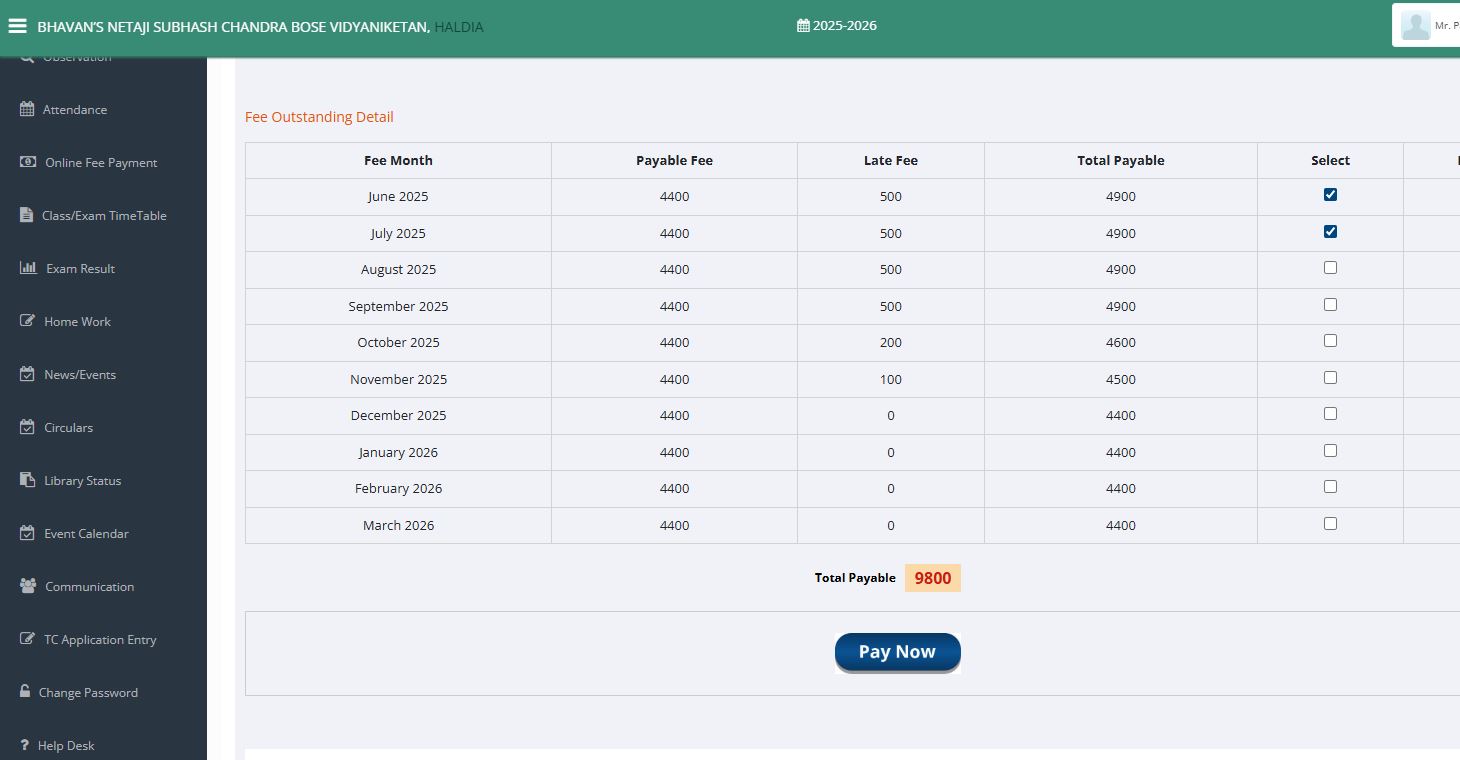
Select the installment from fee outstanding detail , after that click on the 'Pay Now' button.
Step 5:
Choose your mode of payment like credit card, debit card, UPI, Wallet, Online banking, NEFT, etc.
Step 6:
After successful payment, one receipt will be generated. You can download the receipt from the payment portal.
Cancellation and Refund Policy
If any issues arise during the online fee payment process regarding the lack of a payment receipt, the School will ask parents to mail a copy of the payment proof to finance@bhavansnscbv.ac.in so that the payment can be promptly recorded in the system.